TikTok for Developers Keeps Rejecting Your App for 'Invalid Website URL'? Here's Every Fix That Actually Worked
TikTok rejecting your app for 'Invalid Website URL'? The real causes (Vercel DDoS mitigation, Cloudflare, URL properties) and the fixes that got apps approved.

You built the integration, filled out every field in the TikTok for Developers portal, submitted for production access — and got this back:
Changes to your app were not approved for production. Update the following fields and resubmit changes to your app: Website URL. Note from reviewer: Website is not accessible., Invalid Website URL.
You opened your site in three browsers and on your phone. It loads instantly. You resubmitted. Rejected again, same note. If you emailed support, you got a form reply telling you the site “returns a ‘This site can’t be reached’ error during review” and to make sure nothing is “blocked due to geographic restrictions, IP filtering, firewall rules, authentication walls, VPN-only access, or similar limitations.”
We went through this loop ourselves while getting PostZen’s TikTok integration approved — repeated “Website is not accessible” rejections over several weeks, a site that was demonstrably up the whole time, and support replies that didn’t say what was actually failing. Along the way we compared notes with other developers stuck in the same cycle (some were on rejection number twelve). This post is everything we learned: what the rejection really means, the specific causes that have been confirmed by firewall logs, and the fixes that ended in an approval.
What “Invalid Website URL” actually means
TikTok’s review has two parts: an automated URL validator that fetches every URL in your submission (Website URL, Privacy Policy, Terms of Service), and human reviewers who follow your demo video through the app. If either can’t load your site, you get “Website is not accessible” — even though the same URL works perfectly for you.
TikTok’s support team has confirmed this in writing. One developer received this note after weeks of rejections:
In some cases, our review team’s system may automatically flag certain signals on a website, and when that happens the site can appear inaccessible from our end, even though it loads normally elsewhere. This is an automated safeguard rather than a judgment on your site itself… double-check your website settings, including security, firewall, bot protection, hosting, and any regional access configurations.
That is the whole diagnosis in one paragraph. The validator is not a browser. It runs from cloud datacenter IPs, makes repeated requests with no browser-like behavior, and looks — to a modern hosting platform — exactly like an attack. Your site is fine. Something between TikTok and your site is dropping the request.
The confirmed causes, ranked by how often they’re the answer
1. Vercel’s system-level DDoS mitigation (the most common culprit)
If you host on Vercel, start here. This is the cause that closed the original Reddit thread, and it’s what blocked our first submissions too.
TikTok’s validator runs from Microsoft Azure datacenter ranges (AS8075). Vercel’s automatic, system-level DDoS Mitigation sees a single Azure IP hitting / dozens of times in a burst and silently denies it. Nothing in your code, nothing in your WAF rules, no error anywhere you’d normally look.
How to confirm it: Open your Vercel project → Firewall → Traffic. Filter to denied requests around the timestamp of your rejection. If you see an Azure IP (AS8075) hitting / repeatedly with the action “DDoS Mitigation,” you’ve found it.
The gotcha: A regular Custom Rule with a “bypass” action does not fix this. Custom rules only skip your own WAF rules, not Vercel’s system-level mitigation. You need a System Bypass Rule, which is only available on Pro and Enterprise plans (not Hobby).
The fix:
- Upgrade to Vercel Pro if you’re on Hobby.
- Go to Firewall → Rules → System Bypass Rules.
- Add the /24 range of every denied Azure IP you saw in the traffic logs.
- Watch the logs during your next review window and add any new ranges that show up denied.
These are the Azure /24 ranges that were confirmed denying TikTok’s validator across multiple rejection cycles (from the original Reddit thread; we used the same list):
20.226.66.0/24
104.46.228.0/24
191.237.255.0/24
20.226.36.0/24
20.24.203.0/24
20.89.19.0/24
4.193.146.0/24
4.193.152.0/24
52.184.100.0/24
You can also add them from the CLI, which is faster than the dashboard when you have a dozen ranges:
# Requires Vercel CLI 58+ (older pinned versions don't have `firewall`)
npx vercel@latest firewall system-bypass add 20.226.66.0/24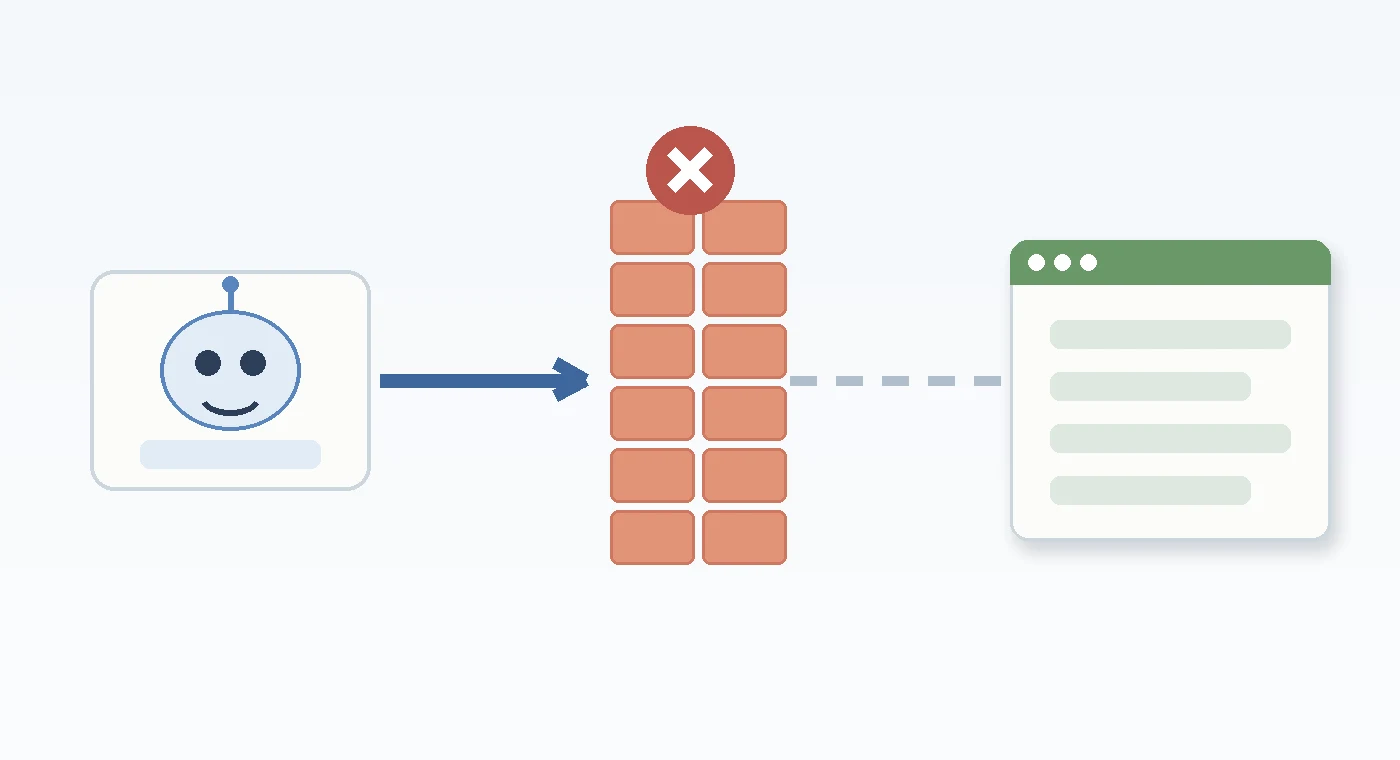
The part most people miss: the validator only checks the Website URL, but the human reviewers follow your demo video into your actual app. In our firewall logs, the denials that kept us stuck after fixing the marketing site were on our dashboard domain — from AWS and Google Cloud IPs, not Azure — because the reviewers were signing in and clicking around. If your app lives on a different subdomain than your Website URL, that domain needs bypass rules too.
2. Cloudflare in front of your site
Cloudflare is the second most common blocker, and it’s more stubborn than Vercel because on the free plan you often can’t see what got blocked.
Bot Fight Mode, Under Attack Mode, managed challenges, and browser-integrity checks all serve TikTok’s validator a challenge page it can’t solve. Several developers in the same rejection loop only got approved after taking the site off Cloudflare’s proxy entirely (orange cloud → grey cloud) or moving DNS to their registrar. Others reported that grey-clouding alone didn’t help, which suggests a second cause was also in play — see the next two sections.
If you want to keep Cloudflare, create a WAF skip rule for your public pages (homepage, privacy, terms) that bypasses all managed challenges and bot protection, then check the Security → Events log during the review window. If you see any challenge or block events from Azure, AWS, or GCP ranges, widen the rule.
3. Unverified URL properties in the TikTok portal
This one is nasty because the rejection message never mentions it. In the TikTok developer portal, under URL properties, you have to verify ownership of the domains and URLs your app uses. If your Website URL, privacy policy, terms, or a subdomain isn’t verified, the review can fail with the same generic “Invalid Website URL” note.
One developer added server-side logging, watched TikTok’s reviewer load every page successfully, and still got rejected — until they noticed an unverified subdomain and URL path in URL properties. The site was never the problem.
What to verify:
- Domain verification for your root frontend domain and any backend/API subdomain (e.g.
api.yourapp.com), even if the portal says a verified domain covers subdomains. - URL prefix verification for your privacy policy URL, terms URL, and the root Website URL.
4. The Website URL itself
Small details here cause big loops:
- Submit the exact canonical URL. If
yourapp.com308-redirects towww.yourapp.com, submit thewwwversion. Some validators don’t follow redirects gracefully. - Never submit a
*.vercel.appor preview URL. With deployment protection on, those return a 401 to anyone who isn’t logged into your Vercel team. - Match the demo video to the Website URL. TikTok’s guidance says the domain shown in your demo video should match the submitted Website URL. If the video shows
app.yourapp.comand the submission sayswww.yourapp.com, that’s a mismatch a human reviewer can flag. - Keep everything on one domain. Website URL, privacy policy, terms, and redirect URIs should all resolve on the domain you verified — not a Notion page, not a PDF, not a staging host.
5. Privacy policy and terms of service not visible from every page
Many developers’ first rejection isn’t the URL at all — it’s that the privacy policy and terms of service weren’t reachable. TikTok expects both to be public pages linked from every page of the site (a footer link is fine). Fix this first or you’ll just move to the next rejection reason.
6. Your site reads like a personal project
TikTok does not grant production access to apps for personal use. If your landing page says “a tool I built to crosspost my videos,” you will be rejected, and the reason shown may still be “Invalid Website URL.” Developers in the thread who started as “personal project” submissions kept getting rejected until they rebranded as a product others could sign up for.
Avoid these phrases anywhere on the site:
- “Coming soon”
- “Under development”
- “Testing”
- “Demo app”
- “Private tool”
- “Personal use”
Your site needs to look like a real product: what it does, who it’s for, how to sign up, working links to legal pages. Even if you’re the only user, present it as something the public can use.
7. Your top-level domain
This one is anecdotal but cheap to test. Two developers who had been rejected repeatedly on .app and .online domains were approved within days after moving to a .com and .farm respectively — with otherwise identical submissions. The theory is that newer Google-run TLDs like .app and .dev (which are HSTS-preloaded and resolve less reliably from some regions) don’t load consistently in the reviewers’ environment. If you’ve exhausted the causes above and you’re on an unusual TLD, a .com is a $10 experiment.
8. Geo-blocking, client-side rendering, and other basics
Less common, but still worth ruling out:
- Geo-blocks. Reviewer traffic has been observed from Singapore (AWS), the US (Azure), and Google Cloud regions. Don’t block any of them.
- Client-side-only rendering. If your landing page is an empty
<div>until JavaScript runs, an automated checker may see a blank page. Server-render or statically generate your marketing pages. - Login walls. The Website URL, privacy, and terms pages must load with zero authentication.
How to diagnose it instead of guessing
The developers who eventually got approved stopped resubmitting blind and started reading logs. Do this before your next submission:
- Check your hosting firewall’s denied-traffic log (Vercel Firewall → Traffic, Cloudflare Security → Events) for the hours around your rejection timestamp. Denied requests from Azure AS8075, AWS, or GCP hitting
/,/privacy, or/termsare your smoking gun. - Add request logging at the app layer so you can see whether TikTok’s reviewer ever reached your origin, and which URL failed.
- Test from a clean cloud environment. Incognito isn’t enough — it still uses your residential IP. Run these from a cheap VPS or cloud shell:
curl -I https://www.yourapp.com
curl -I https://www.yourapp.com/privacy
curl -I https://www.yourapp.com/terms
Each should return 200 OK with real HTML — not a 403, a 503, a 401, or a challenge page.
- Confirm URL properties are verified in the TikTok portal for every domain and URL in the submission.
- Ignore the CORS email. If support replies with a note about cross-origin requests (“when your page is loaded from site A, it cannot directly fetch data from site B”), that’s a canned response. It has nothing to do with the validator being unable to reach your site.
The nuclear option: a fresh app on a plain .com
If you’ve been rejected many times and every cause above checks out, there’s a pattern that ended the loop for us and for at least two other developers in the same thread:
- Register a plain
.comat a mainstream registrar and use the registrar’s own DNS (no Cloudflare proxy, no clever edge rules). - Point it at a simple, server-rendered marketing site with your product description, sign-up, privacy policy, and terms linked from every page.
- Create a brand-new app in the TikTok developer portal — some people also created a new organization — and copy your submission details across. After five-plus rejections, there’s a reasonable suspicion that the old app record carries a cached failure, and starting fresh removes that variable.
- Verify the new domain and URL prefixes under URL properties before you submit.
Our approval came from exactly this: a fresh app record with a Website URL on a Namecheap-registered .com using Namecheap DNS. Was it the domain, the DNS, or the new app record? We don’t know for certain — but the combination worked within days after weeks of rejections, and the same combination worked for others.
One warning for after you’re approved: don’t edit the approved app’s configuration (redirect URIs, URLs, scopes) unless you have to. Edits trigger a new review, and you’re back in the queue.
Sandbox, production, and the second review nobody warns you about
Passing app review is not the end. TikTok’s Content Posting API has a separate gate that surprises almost everyone.
- Sandbox — available immediately after creating the app. Use sandbox credentials in your deployed app during review, because you don’t get production keys until you’re approved. Reviewers test with sandbox.
- Production, unaudited — after approval you get production keys, but as an unaudited client. Posts made through the API are restricted (private visibility), and TikTok limits how many creators can authorize your app.
- Production, audited — to post publicly at scale, you must apply for the Content Posting API audit. It’s a second, more detailed application with its own demo video. TikTok says it takes two to four weeks; in practice we’ve seen it clear in four days, and our own audit passed with a demo that showed the production OAuth flow, the full compose experience, and the resulting (private) post on tiktok.com.
If your launch depends on public TikTok posting, apply for the audit the moment app review clears.
How long does TikTok app review take?
Individual review cycles are fast — rejections and approvals typically land within 24 to 48 hours, occasionally up to a week. The horror stories of “two months” are almost always the same rejection repeated ten times while the underlying block never changed. Once your site is genuinely reachable from a clean environment and URL properties are verified, approvals tend to come within a couple of days.
Realistic end-to-end timeline for a solo developer, including the audit: one to three weeks if you diagnose from logs; two to three months if you resubmit blind.
The shortcut: post to TikTok through a social media API that’s already approved
Step back for a second. TikTok’s review exists to vet apps, and it runs for every app that wants to post. If your goal is just to upload videos to TikTok programmatically — crossposting from YouTube, scheduling for a client, adding TikTok to your own product — you can skip the entire process by using a social media API that has already passed TikTok’s app review and content audit.
PostZen is exactly that. We ate the firewall debugging, the rejection cycles, and the audit so you don’t have to. Here is the whole thing in three minutes, from a fresh account to a published TikTok post and its analytics, with no app review:
Connect a TikTok account through our hosted OAuth flow and publish with one API call:
curl -X POST https://api.postzen.dev/v1/posts \
  -H "Authorization: Bearer $POSTZEN_API_KEY" \
  -H "Content-Type: application/json" \
  -d '{
    "content": "New video is live",
    "scheduledFor": "2026-09-01T10:00:00Z",
    "platforms": [
      { "platform": "tiktok", "accountId": "acc_tiktok" }
    ]
  }'
No TikTok developer account, no app review, no unaudited-client restrictions — and the same request posts to Instagram, YouTube, LinkedIn, X, and more by adding entries to platforms. See the TikTok API integration guide and the social media API overview for media uploads, scheduling, queues, and webhooks for publish results.
For the “crosspost my YouTube videos to TikTok” use case that sends so many developers into the review loop, this turns a multi-week approval process into an afternoon.
When you should still get your own TikTok API access
Going direct to TikTok for Developers is the right call when:
- TikTok is your product — analytics on the Research API, commerce on TikTok Shop APIs, ad tooling on the Marketing API.
- You need scopes that publishing platforms don’t proxy, such as Display API profile embedding.
- You want a first-party platform relationship and your own rate limits at scale.
In those cases, the diagnosis playbook above is your path through review. For everyone whose real goal is “get videos onto TikTok programmatically,” the direct route is mostly friction.
FAQ
What does “Website is not accessible” mean in a TikTok app rejection?
It means TikTok’s automated URL validator or a human reviewer couldn’t load one of the URLs in your submission. The site is usually fine; the request is being denied by hosting-level DDoS mitigation (Vercel), a CDN challenge (Cloudflare), a geo-block, or a login wall — or a URL in the portal isn’t verified under URL properties.
Do I need Vercel Pro to pass TikTok review?
If you’re on Vercel Hobby and your firewall traffic log shows “DDoS Mitigation” denials from Azure IPs during review, yes — System Bypass Rules are Pro-only. Alternatives are moving your marketing site to a host without automatic mitigation, or putting the review-facing site on a plain domain with plain DNS.
Does TikTok reject .app or .dev domains?
Not officially. But multiple developers were rejected repeatedly on .app/.online domains and approved within days on .com/.farm with otherwise identical submissions. If you’ve ruled out firewall and URL-property causes, switching TLD is a cheap experiment.
Should my deployed app use sandbox or production credentials during review?
Sandbox. Production credentials aren’t issued until you’re approved, so reviewers test your app against sandbox. For the later Content Posting API audit, use production credentials and post to a private account.
Does TikTok have an API for posting videos?
Yes — the Content Posting API, part of TikTok for Developers. It requires a developer account, app review, and a content audit for unrestricted public posting. A social media API like PostZen provides TikTok posting through an already-approved integration.
Is the TikTok API free?
Creating a developer account and using the Content Posting, Login Kit, and Display APIs is free. The costs are engineering time (review loops, audit, maintenance) and, for many Vercel users, the Pro plan needed for System Bypass Rules.
How many times can I resubmit my TikTok app?
There’s no published limit, but resubmitting without changing anything gives you the same automated result. After many rejections, several developers found that creating a fresh app record in the portal helped — possibly because the old record carried a cached failure.
Related posts
- Getting Started with Instagram API Integration in 2026
- How to Post to LinkedIn via API: Direct LinkedIn API vs PostZen
- PostZen’s TikTok API integration
- Video: use the TikTok API today without app review
- Compare social media APIs
Sources
-
r/buildinpublic: “TikTok for Developers keep rejecting due to Invalid Website URL” — the thread where the Vercel DDoS mitigation cause was confirmed
-
TikTok Content Posting API documentation
-
TikTok for Developers: creating and submitting an app
-
Vercel Firewall documentation (System Bypass Rules)
-
PostZen API reference